
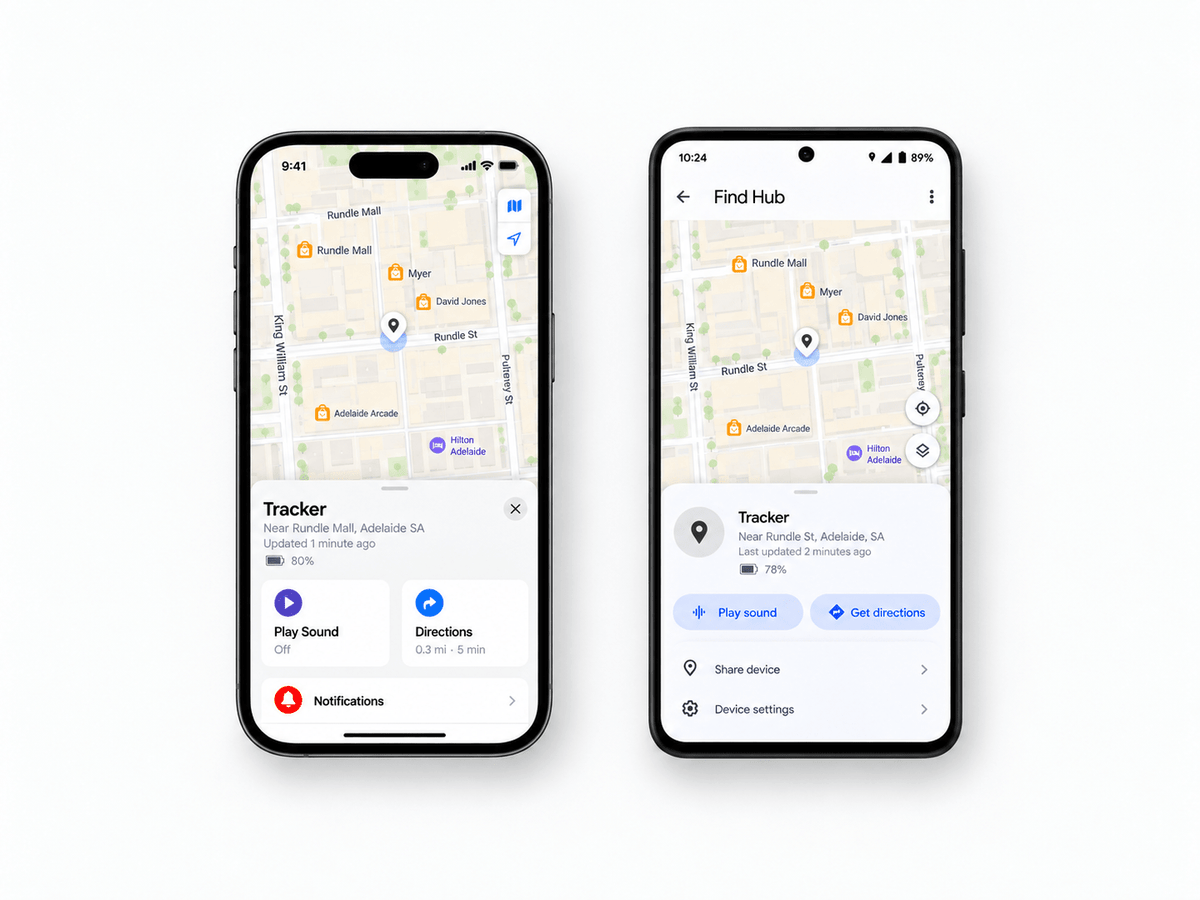
AusFindr trackers work with Apple Find My or Google Find Hub to give you a simple and convenient way to keep track of wallets, luggage, bags, keys and other valuables.
There is no SIM card or ongoing subscription required. Your tracker uses the large network of nearby Apple or Android devices to help report its location, giving you wide coverage without the cost or complexity of a traditional GPS tracker.
In busy areas, location updates appear within minutes and are accurate up to a metre. At other times, updates can take a little longer, or the app may show an estimated area rather than an exact point.
Like any Apple Find My or Google Find Hub tracker, the timing and precision of each update can vary depending on nearby devices.
You may sometimes notice that:
- the location stays in the same place for a while
- a larger area is shown instead of an exact point
- updates are less frequent while travelling
- the location appears slightly away from where your item actually is
These are normal characteristics of the Apple Find My and Google Find Hub networks and do not mean there is anything wrong with your AusFindr tracker.
How does my tracker report its location?
The easiest way to think about it is that your tracker regularly sends out a Bluetooth signal saying:
“I’m here.”
When a nearby Apple or Android device picks up that signal, it can help report the tracker’s location through the Find My or Find Hub network. That location then appears in your app.
The nearby phone does not need to belong to you. It could be someone walking past your luggage at an airport, a person near your parked car, another shopper or even someone in a neighbouring house. This all happens automatically in the background.
Why hasn’t my tracker location updated yet?
The location you see in Find My or Find Hub is the most recent location reported by the network.
For example, imagine your suitcase was detected at an airport at 10:15 am. If no other nearby device detects it for the next 30 minutes, the app may continue showing the 10:15 am location.
This is why trackers usually work particularly well in places such as:
- airports
- shopping centres
- hotels
- offices
- public transport
- busy streets
- residential areas
- car parks
In quieter areas, there may simply be fewer phones nearby to help report the location.
Why does the app sometimes show a larger area?
Sometimes you may see a circle or larger area around the location instead of one exact point. This simply means the network is less certain about the exact location at that moment.
A nearby phone or other device detects your tracker, and the location shown depends partly on the location information available from that device.
For example, a phone outside may have a very accurate location, while a phone inside a large building, underground car park or high-rise may have a less precise location.
A larger circle does not mean there is a problem with your tracker.
How do location updates work while travelling?
If you put a tracker in a car or bag while travelling, you may not see a dot moving continuously along the road.
Instead, you might see something like:
Home → major intersection → shopping centre → destination
The tracker is still working between those locations. Those are simply the places where nearby devices were able to help report its location.
When you slow down, stop in traffic or arrive somewhere busy, there are often more opportunities for the tracker to be detected.
Why are updates sometimes very frequent?
The opposite can happen too.
If your tracker is inside a suitcase at a busy airport, there may be hundreds of phones and other devices passing nearby. That can result in very frequent location updates.
If the same suitcase is later stored somewhere quiet with very few people around, the location may stay unchanged for longer.
Nothing has changed with the tracker. There are simply fewer nearby devices available to help update the location.
Does Bluetooth range mean I can only find something nearby?
No. Your tracker only needs to be within Bluetooth range of another device in the Apple or Google network.
Your own phone can be hundreds or even thousands of kilometres away. For example, if your suitcase ends up at Melbourne Airport while you are in Adelaide, a nearby phone in Melbourne can detect the tracker and help report its location.
You can then see that location from Adelaide. The same principle applies when travelling overseas.
Why does my item sometimes appear to be at my neighbour’s house?
This can happen and usually has a simple explanation.
Your tracker may have been picked up or “pinged” by your neighbour’s phone or another nearby device.
For example, your tracker may still be inside your house, but if a phone next door detects it, the location may appear slightly closer to that house. This does not necessarily mean your item is actually next door.
In most cases, the location will correct itself when your tracker is picked up again by your phone or another nearby device. If the tracker is nearby, you can also use Play Sound to help confirm where it is.
What is normal?
All of these can happen during normal use:
- the location does not change for a while
- several updates appear close together
- the location jumps from one place to another
- updates happen more often in busy areas
- the app shows a larger location area
- updates are less frequent while travelling
- the tracker suddenly updates after someone with a nearby phone comes past
These behaviours do not automatically mean there is anything wrong with your AusFindr tracker.
They are simply part of how Apple Find My and Google Find Hub report locations.
How is this different from GPS?
AusFindr trackers use Apple Find My or Google Find Hub and nearby devices to help report their location.
This means you get:
- no monthly subscription
- no SIM card
- long battery life
- a very slim and compact tracker
- access to a large network of nearby devices
- an easy way to keep track of everyday valuables
GPS trackers work differently. They are generally larger, use more power and often require a SIM card or ongoing subscription. They can be useful when very frequent vehicle or asset tracking is required, but for things like wallets, luggage, bags and keys, Find My and Find Hub trackers are a much simpler option.
The main thing to remember
The easiest way to think about the location shown in Find My or Find Hub is:
“This is the most recent place where the network detected my tracker.”
Sometimes that location may update very quickly. At other times, it may take a little longer until another nearby device detects the tracker.
For everyday valuables, Apple Find My and Google Find Hub provide a very practical combination of wide coverage, long battery life, compact size and no ongoing subscription fees.


